
Creating Facebook app for Android - quesiton

Not exactly, but changing the size of the object (the first parameter argument to display.save) effectively does the same thing, eg;If you change the image width and height you are passing, it does the same thing.

From the display.save doc page:

NOTE: When dynamic content scaling is enabled, display.save() saves the image in the device’s native resolution. For instance, if this method is used to save a 100 x 200 pixel display object, it will be saved as a 100 x 200 image on iPhone3 but it will be a 200 x 400 image on an iPhone4 (which would have the same content dimensions but more actual pixels). This is assuming that the config.lua file specifies the content width/height as 320x480 respectively.

So if you change the height and width of the image to take this into account before calling display.save, that will achieve the effect. [import]uid: 79933 topic_id: 32551 reply_id: 131687[/import]

Ahhh ok I finally get it. Only issue is that I have LOTS of display objects that get captured, is it possible to change the width and height of a display group? Or would I need to change each display object individually you think? [import]uid: 19620 topic_id: 32551 reply_id: 131688[/import]

I’m saving a group as well, and with a mask (next thing ya know, you’ll be saying you’re using a mask)…

Seems there’s a lot in common between our saving…

I’m not saving a lot of objects (just an image and a watermark in the group) so I am changing the captured images width/height directly, and adjusting the watermark font size / x/y coords in the group based on actual device pixel screen cap size dimensions. I think you can adjust the groups xscale and yscale, but not its width and height… If you scale the group (which would scale all the objects in it), not sure how that will pan out/look for scaling it up… The images might look blurry… (but downscaling should be ok)

I’m afraid text on a blog is not the best way to convey what you’re about to go through regarding this scaling… And when you get to the clipping (for odd shaped devices) you’re going to have to zag – instead of zig… But it sounds like you’re on the right track :slight_smile:

So – You’ll have to mess around with it a bit to find out some of the tricks to get everything nice and crisp looking, uploading / downloading nice and fast, and eliminate any other sources of distortion on different resolutions… [import]uid: 79933 topic_id: 32551 reply_id: 131693[/import]

Awesome, well I appreciate your tips and thoughts, I will give it a try tomorrow! I’ll make sure to let you know how it goes, thanks again! [import]uid: 19620 topic_id: 32551 reply_id: 131694[/import]

Best of luck.

Note for rxm for later: Pssstttttt… You’re gonna need a mask on the group for that. [import]uid: 79933 topic_id: 32551 reply_id: 131695[/import]

rxmarccall,

If you are only interested in capturing a particular region of the screen, then it would be easier to use our [lua]display.captureBounds()[/lua] function.
http://docs.coronalabs.com/api/library/display/captureBounds.html
[import]uid: 32256 topic_id: 32551 reply_id: 131787[/import]

Yea only issue is that display.captureBounds() cannot save the captured graphic as a file right? it only puts it back on the stage as a display object? I guess then I could maybe do display.save() on the captureBound display object? [import]uid: 19620 topic_id: 32551 reply_id: 131789[/import]

Yes, you are right. You would have to call display.save() on the object right afterwards and then remove it. [import]uid: 32256 topic_id: 32551 reply_id: 131791[/import]

Hmm so maybe I can jimmy rig this by capturing the screen, resizing it to make sure its in the right aspect ratio so corona doesn’t screw the image up and then do a display.save() of the display object. Ill give that a try later tonight when I get home. [import]uid: 19620 topic_id: 32551 reply_id: 131793[/import]

I think Joshua is not offering that up as a solution per se, but just something else to think about / look at, in case it could be helpful.

If you do use captureBounds(), you’ll still have the capture occurring in device pixels… (requiring the transformation I described to get to your target image size). And you mentioned corona screwing up the aspect ratio… Corona is not screwing it up… You’ve got a little more to understand…

Devices with square screens tend to take square pictures. Devices with tall screens tend to take rectangular pictures. This is not coronas fault. The fact that the s3 takes a picture that is not 2:3 aspect ratio, but you chose that for your app is not coronas fault… At some point, perhaps after you can save your pictures reliably at a consistent size, you’re going to have to figure out what you want to do to wrangle different device image shapes into your 2:3 app aspect ratio… But first things first…

One way or another, you should probably shoot for getting your saved images to consistently save at your target pixel size (on widely differing devices). Once you’ve got that straight, you should be able to see the light at the end of the tunnel. [import]uid: 79933 topic_id: 32551 reply_id: 131795[/import]

@mpappas,
I understand that you probably are annoyed that I “blame corona”, but there is nothing wrong with pointing out that this is a feature that does not “Universally” work. Corona exists to be a SDK that promotes that “We can let you code once and it will work for both IOS and Android!” I understand that we can run into issues here and there as Corona is growing and thats fine. Again I appreciate your help and insight into this, going to hopefully get started on trying a lot of your ideas tonight. thanks again! [import]uid: 19620 topic_id: 32551 reply_id: 131801[/import]

I coded it once, and it runs on both iOS and Android. display.capture works as advertised.

If you put a circle in the middle of the screen and capture/save it, it will save it correctly (and it will appear circular on various devices).

If your code puts images on the screen that are skewed (because your code is squashing a 720x1280 image into 320x480 space), it will save it, exactly as it appears on the screen… skewed. (GIGO)

On all platforms, universally, just as advertised. (I’m actually annoyed that you still think it’s a corona bug, and you still don’t understand what’s really going on… I don’t think you are going to make it to point B, if you keep believing it’s a corona bug) [import]uid: 79933 topic_id: 32551 reply_id: 131805[/import]

First of all @Joshua Quick on the first page of this thread has said that THIS IS A BUG. Second of all, I am not squashing my images at all. I am using the “Letterbox” configuration, so my large images are going off the screen for different devices. My app displays my images perfectly on all devices because of this setup. But display.save() gives me issues. That’s fine if you don’t think its a bug, doesn’t “bug” me :wink: [import]uid: 19620 topic_id: 32551 reply_id: 131809[/import]
I’m using letterbox too. Compensating for the device pixels. Compensating for devices taking different shaped images. Works perfectly. If I were Joshua, I wouldn’t look much further than checking the displayed image size (which happens to be a camera image in this case, but isn’t necessarily) compared to the content size it is displayed on for capturing…

I’d be curious as to when they fix this (non) bug, what would you expect corona to do with your extra 200 pixels?

They could chop off the ends of the picture (the 200 pixels, 100 on eaqch long end) to fit your format… Or they could make the 1280 side fit to you 480 dimension, but then the 320 wont quite fill the 720 real width… So they would presumably leave black bars…

Seriously though, good luck. (Maybe Corona will add a flag or something to capture in content pixels but your corona text wouldn’t look as crisp in captured images… alternatively, they could add a flag to the camera capture, to format/clip the image to the content space/aspect) [import]uid: 79933 topic_id: 32551 reply_id: 131815[/import]

Thats the whole point, display.save() says it will capture the screen at the devices resolution and save it to a file. So thats exactly what it should do, end of story. Why should I not be able to simply call display.save() and have a non screwed up image saved to the device? Also Joshua already seems to have a very good idea of the issue if you read his post on the last page. Anyways thanks again, I don’t have time to sit and argue on these forums, I really do appreciate the ideas you have presented. [import]uid: 19620 topic_id: 32551 reply_id: 131817[/import]

rxmarccall,

Have you sent us a bug report about this with a project that reproduces this behavior?
If so, can you post what the bug # is please?

If the captured image is coming out “skewed”, then I’ve only heard of one other person that has ran into this issue, which was only happening to him on one particular device. It sounded very device specific and perhaps you might have that same or similar device. Other than that, we rarely receive tech-support issues about screen captures at this point because it does work for the vast majority of Corona developers. This may just be a rare edge case that we need to take care of on our end, so whatever info you can send us via that bug report would be most helpful. Sending us an example of the screwed up screen shot would be helpful as well. Thanks! [import]uid: 32256 topic_id: 32551 reply_id: 131857[/import]

@Joshua,
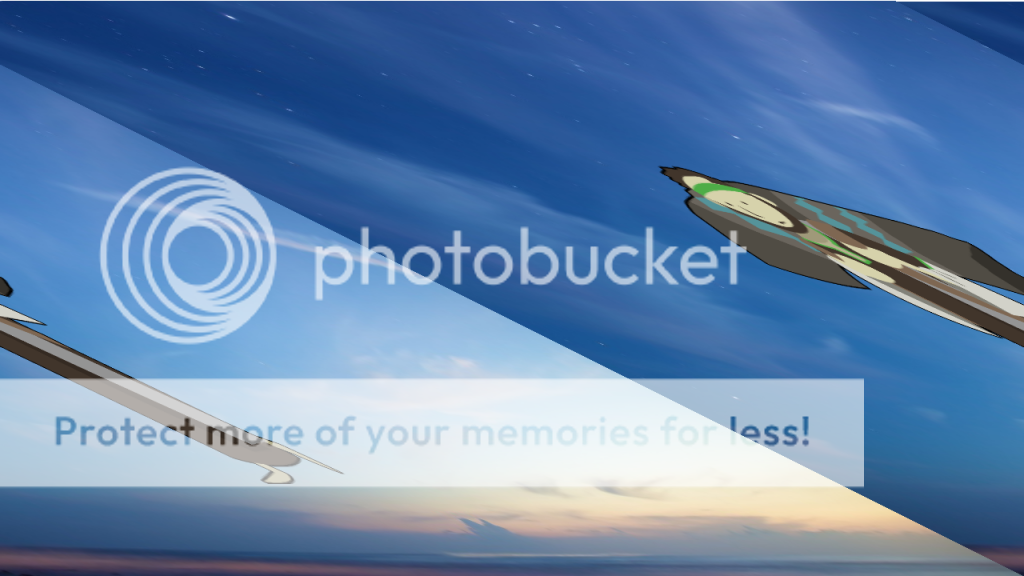
Yes I submitted it about 2 weeks ago, the case number is “Case 18621”. I attached a demo project showing the issue. If you need the demo project again let me know. Here is what the skewed image looks like for example: ( Sorry its huge, but I thought I would leave it at original size that the app is capturing it.

Photobucket [import]uid: 19620 topic_id: 32551 reply_id: 131859[/import]

I see. Your image is skewed too. This does look like a “stride” issue, as in the pixels in every row of an image needs to be a multiple of 4 pixels, or else the GPU will wrongly shift the top row’s pixels to the next row’s pixels in the image. Most likely an issue with only particular GPUs. Yeah, we’ll have to fix this issue on our end. Thanks for following up on this. [import]uid: 32256 topic_id: 32551 reply_id: 131864[/import]

No problem just happy that you guys know about it and can look into it. Let me know, thanks! [import]uid: 19620 topic_id: 32551 reply_id: 131866[/import]

rxmarccall,

If you are only interested in capturing a particular region of the screen, then it would be easier to use our [lua]display.captureBounds()[/lua] function.
http://docs.coronalabs.com/api/library/display/captureBounds.html
[import]uid: 32256 topic_id: 32551 reply_id: 131787[/import]