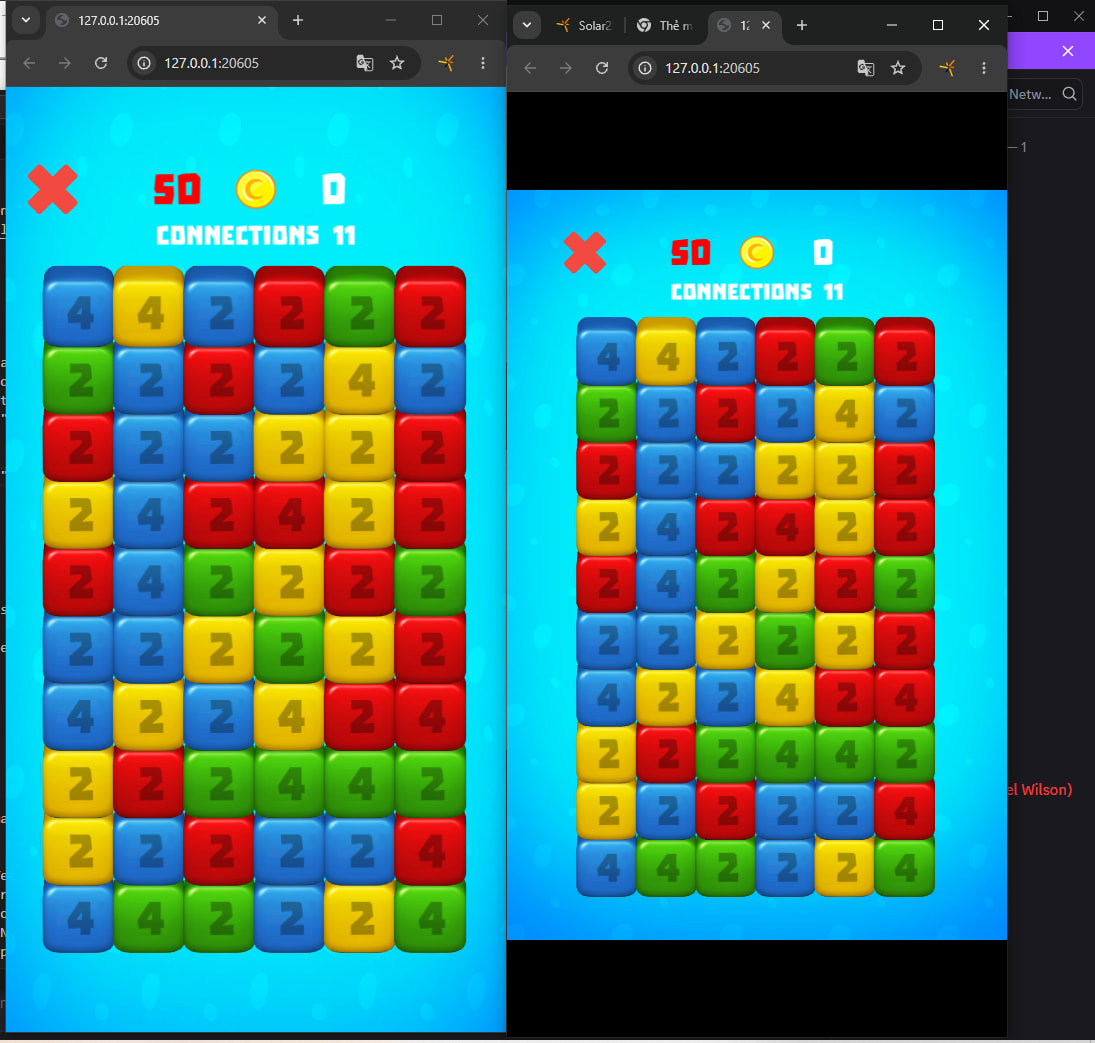
Building to HTML5. The result works fine on Mac browsers (Chrome, Firefox, Brave), but on mobile (Android: Chrome, Firefox, Samsung browser) on a 6” tall screen I get a black band about 1/2” tall at the top and bottom (above “x = 0” and below the limit implied by contentHeight (safe/actual/normal).
Samsung S24 Ultra / Chrome says screen is 1080 x 1350, with 0 reserved/safe area. Firefox on same phone says same specs.
Samsung A10 (?) tablet / Chrome says screen is 1751 x 2188, and ditto blank areas and 0 reserved/safe.
Disappointingly, I see no way to detect what browser and what phone I’m on with HTML5 … they all say "model: emscripten”, manufacturer “Corona Labs”, platform “html5”.
Space/screen utilization is fine (no waste area) on simulator and android phones / tablets (as “.apk”).
Build settings doesn’t appear to support an HTML5 section (am I wrong?), but the “Windows” section says defaultMode “maximum”, defaultViewHeight 800, defaultViewWidth 640, not resizable.
config.lua has only “fps=30” and some imageSuffix stuff, no width/height/scale (I do it dynamically, mostly).
If you’re curious: sstarot
To be clear and hopefully save some time:
I’m creating newText, newButton objects with y=0 and anchorY = 0 for the top objects, and y=device.safeContentHeight - button_height and anchorY=0 for the bottom objects.
(button_height obtained by top_button.height after it’s created)