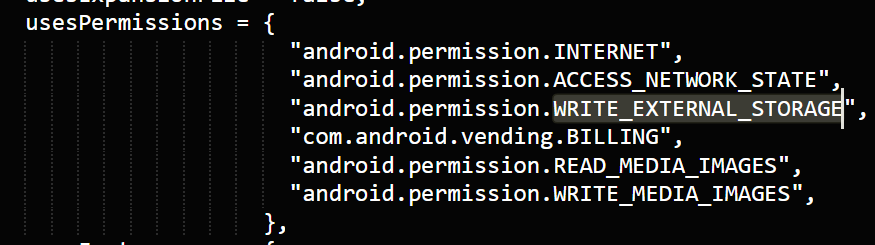
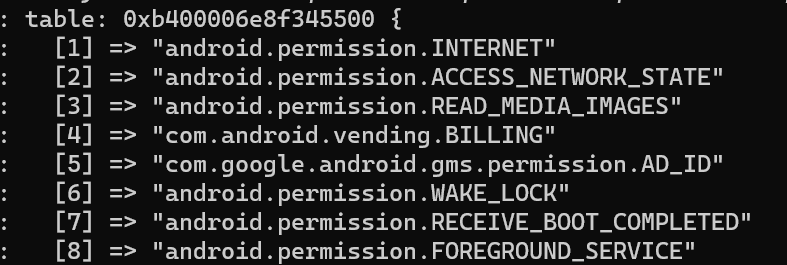
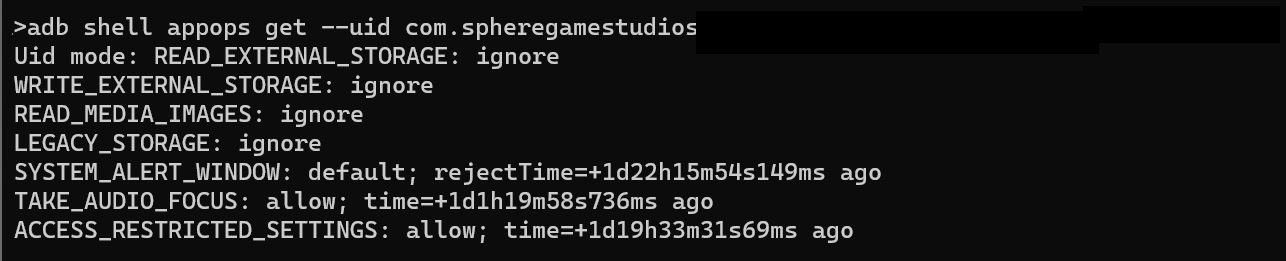
This has stopped working on Android 13+ due to the changes in how permissions are scoped (I think) - unless the permission was already granted and the user upgraded to Android 13, then this works as expected.
No error, it just logs that it is unable to save and silently fails.
On previous Android versions this works fine, a permission is spawned if required. but this no longer happens on Android 13+.
I’ll recap some of what we discussed and a couple details turned up by some further digging.
This StackOverflow post basically suggests you can omit it, if you’re running a certain API (I guess 33, although slightly earlier is when deprecation began?), which you can check against the version number.
The Android-specific AddBitmapToPhotoLibrary() code ultimately goes through this logic. I’ll look around a bit more, but I suspect that check could be done here, and just set the state to GRANTED.
There seem to be new permissions since API 33 for reading media images, audio and videos:
It might also be that now you’ll need to explicitly request permissions during runtime.
You could check if you have the "WRITE_EXTERNAL_STORAGE" permission via system.getInfo( "androidGrantedAppPermissions") and if you don’t, then you should be able to request it via native.showPopup( "requestAppPermission", { appPermission="android.permission.WRITE_EXTERNAL_STORAGE" } ).
Requesting permissions does nothing (as in there is no popup displayed). I’ve already tried WRITE_EXTERNAL_STORAGE, WRITE_MEDIA_IMAGES and READ_MEDIA_IMAGES.
This is displayed in console PermissionServices.ApiLevel23.requestPermissions(): All permissions that were requested have already been granted!
Still the same result WARNING: display.captureScreen() unable to capture screen
I did have a go at it (should have the code somewhere), but was just sending someone builds rather than grinding through tests on an emulator or device, and we didn’t have any luck during that limited window. I’m sure it must be close, and don’t think it would be too hard to actually do right, but it’s been very out-of-sight, out-of-mind.
Great, this is an opportunity to talk about it … I’m using display.captureBounds()-which is very similar to screenCapture- to save a portion of the screen to the library and doesn’t work either in my phone with Android 14 (SDK 34).
Some of my apps are being affected by this behaviour.