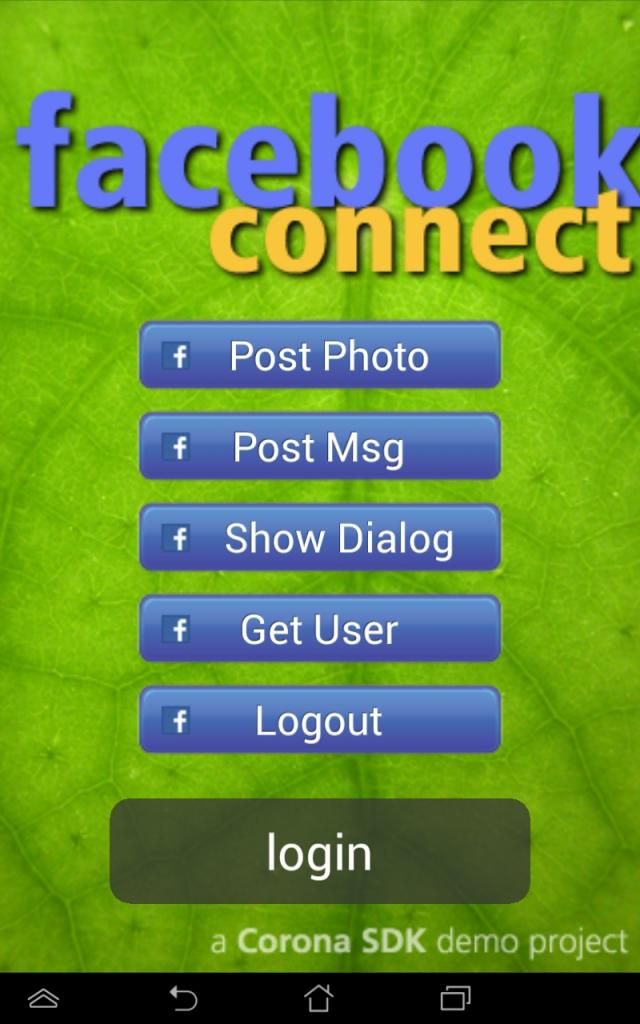
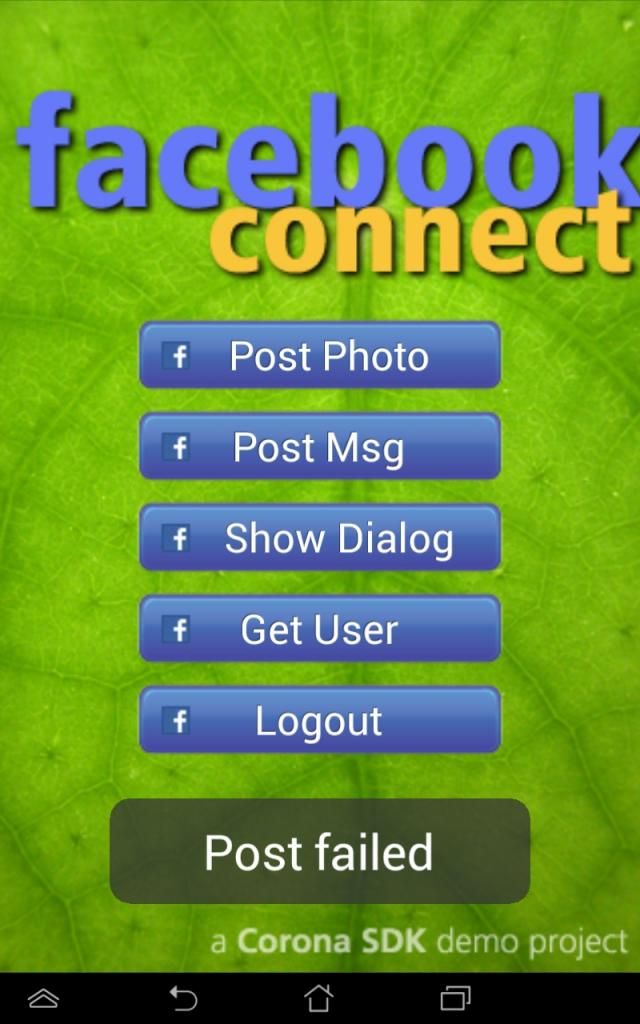
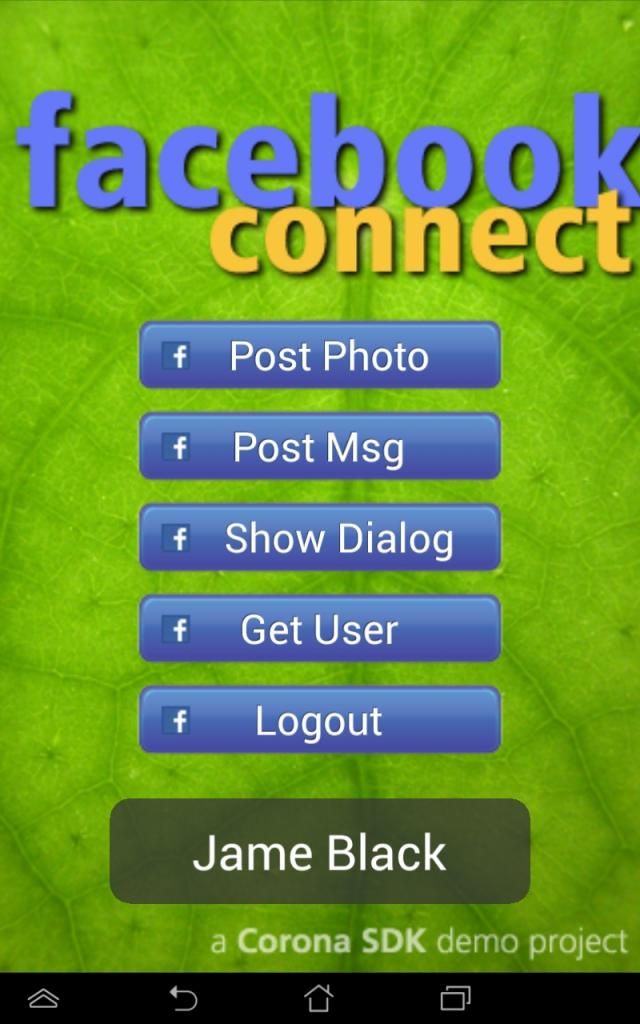
I use facebook sample in Corona SDK (build 2393) and have error in sreenshot attachment.
I’ve only input AppID
When I use Show Dialog button, It posted successfully in my facebook’s wall.
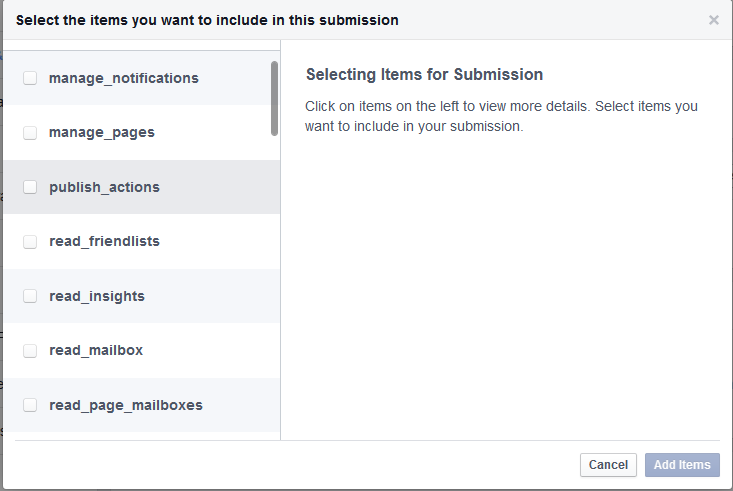
But I use Post Msg button, it’s notifiy “Post Failed”? if I missed to setup “publish_actions” in facebook developer page? I have not setup “publish_actions” yet.
This one, sorry (:
After you’ve selected it, you need to follow the entire Facebook review process (upload the various images they require and all). It can take a while for them to review it.
Afterwards, you need to put your app live on Facebook, and then everyone will be able to post messages even without showDialog.
And In the segment of code sample below, It must be change “publish_actions” to “publish_stream” or not change? And If I must be change other code lines any more? Help me to review it.
local function listener( event ) --- Debug Event parameters printout -------------------------------------------------- --- Prints Events received up to 20 characters. Prints "..." and total count if longer --- print( "Facebook Listener events:" ) local maxStr = 20 -- set maximum string length local endStr for k,v in pairs( event ) do local valueString = tostring(v) if string.len(valueString) \> maxStr then endStr = " ... #" .. tostring(string.len(valueString)) .. ")" else endStr = ")" end print( " " .. tostring( k ) .. "(" .. tostring( string.sub(valueString, 1, maxStr ) ) .. endStr ) end --- End of debug Event routine ------------------------------------------------------- print( "event.name", event.name ) -- "fbconnect" print( "event.type:", event.type ) -- type is either "session" or "request" or "dialog" print( "isError: " .. tostring( event.isError ) ) print( "didComplete: " .. tostring( event.didComplete) ) ----------------------------------------------------------------------------------------- -- After a successful login event, send the FB command -- Note: If the app is already logged in, we will still get a "login" phase -- if ( "session" == event.type ) then -- event.phase is one of: "login", "loginFailed", "loginCancelled", "logout" statusMessage.textObject.text = event.phase -- tjn Added print( "Session Status: " .. event.phase ) if event.phase ~= "login" then -- Exit if login error return end -- The following displays a Facebook dialog box for posting to your Facebook Wall if fbCommand == SHOW\_DIALOG then -- "feed" is the standard "post status message" dialog facebook.showDialog( "feed", { name = "Test name", description = "Example description.", link = "http://www.coronasdk.com/" }) -- for "apprequests", message is required; other options are supported --[[facebook.showDialog( "apprequests", { message = "Example message." }) --]] end -- Request the Platform information (FB information) if fbCommand == GET\_PLATFORM\_INFO then facebook.request( "platform" ) -- \*\*tjn Displays info about Facebook platform end -- Request the current logged in user info if fbCommand == GET\_USER\_INFO then facebook.request( "me" ) end -- This code posts a photo image to your Facebook Wall -- if fbCommand == POST\_PHOTO then local attachment = { name = "Developing a Facebook Connect app using the Corona SDK!", link = "http://www.coronalabs.com/links/forum", caption = "Link caption", description = "Corona SDK for developing iOS and Android apps with the same code base.", picture = "http://www.coronalabs.com/links/demo/Corona90x90.png", actions = json.encode( { { name = "Learn More", link = "http://coronalabs.com" } } ) } facebook.request( "me/feed", "POST", attachment ) -- posting the photo end -- This code posts a message to your Facebook Wall if fbCommand == POST\_MSG then local time = os.date("\*t") local postMsg = { message = "Posting from Corona SDK! " .. os.date("%A, %B %e") .. ", " .. time.hour .. ":" .. time.min .. "." .. time.sec } facebook.request( "me/feed", "POST", postMsg ) -- posting the message end ----------------------------------------------------------------------------------------- elseif ( "request" == event.type ) then -- event.response is a JSON object from the FB server local response = event.response if ( not event.isError ) then response = json.decode( event.response ) if fbCommand == GET\_USER\_INFO then statusMessage.textObject.text = response.name printTable( response, "User Info", 3 ) print( "name", response.name ) elseif fbCommand == POST\_PHOTO then printTable( response, "photo", 3 ) statusMessage.textObject.text = "Photo Posted" elseif fbCommand == POST\_MSG then printTable( response, "message", 3 ) statusMessage.textObject.text = "Message Posted" else -- Unknown command response print( "Unknown command response" ) statusMessage.textObject.text = "Unknown ?" end else -- Post Failed statusMessage.textObject.text = "Post failed" printTable( event.response, "Post Failed Response", 3 ) end elseif ( "dialog" == event.type ) then -- showDialog response -- print( "dialog response:", event.response ) statusMessage.textObject.text = event.response end end local appId = "xxxxxxxxxxx" -- Add your App ID here (also go into build.settings and replace XXXXXXXXX with your appId under CFBundleURLSchemes) local apiKey = nil -- Not needed at this time --------------------------------------------------------------------------------------------------- -- NOTE: You must provide a valid application id provided from Facebook if ( appId ) then -- \*\*\* -- \*\*\*\*\*\*\*\*\*\*\*\*\*\*\*\*\*\*\*\*\*\*\*\* Buttons Functions \*\*\*\*\*\*\*\*\*\*\*\*\*\*\*\*\*\*\*\*\*\*\*\*\*\*\*\*\*\*\*\* -- \*\*\* local function postPhoto\_onRelease( event ) -- call the login method of the FB session object, passing in a handler -- to be called upon successful login. fbCommand = POST\_PHOTO facebook.login( appId, listener, {"publish\_actions"} ) end local function getInfo\_onRelease( event ) -- call the login method of the FB session object, passing in a handler -- to be called upon successful login. fbCommand = GET\_USER\_INFO facebook.login( appId, listener, {"publish\_actions"} ) end local function postMsg\_onRelease( event ) -- call the login method of the FB session object, passing in a handler -- to be called upon successful login. fbCommand = POST\_MSG facebook.login( appId, listener, {"publish\_actions"} ) end local function showDialog\_onRelease( event ) -- call the login method of the FB session object, passing in a handler -- to be called upon successful login. fbCommand = SHOW\_DIALOG facebook.login( appId, listener, {"publish\_actions"} ) end local function logOut\_onRelease( event ) -- call the login method of the FB session object, passing in a handler -- to be called upon successful login. fbCommand = LOGOUT facebook.logout() end -- \*\*\*
publish_actions should work (if that’s the same permission you find on Facebook).
I haven’t gone through the entire code (in our templates we use a very simplified version, since we just post highscores and do not have to show all the various options the coronalabs sample has), but it seems fine from a quick look. Plus, if the showDialog worked, there should be no problem for the post message, as long as you have obtained the necessary permissions.
This one, sorry (:
After you’ve selected it, you need to follow the entire Facebook review process (upload the various images they require and all). It can take a while for them to review it.
Afterwards, you need to put your app live on Facebook, and then everyone will be able to post messages even without showDialog.
And In the segment of code sample below, It must be change “publish_actions” to “publish_stream” or not change? And If I must be change other code lines any more? Help me to review it.
local function listener( event ) --- Debug Event parameters printout -------------------------------------------------- --- Prints Events received up to 20 characters. Prints "..." and total count if longer --- print( "Facebook Listener events:" ) local maxStr = 20 -- set maximum string length local endStr for k,v in pairs( event ) do local valueString = tostring(v) if string.len(valueString) \> maxStr then endStr = " ... #" .. tostring(string.len(valueString)) .. ")" else endStr = ")" end print( " " .. tostring( k ) .. "(" .. tostring( string.sub(valueString, 1, maxStr ) ) .. endStr ) end --- End of debug Event routine ------------------------------------------------------- print( "event.name", event.name ) -- "fbconnect" print( "event.type:", event.type ) -- type is either "session" or "request" or "dialog" print( "isError: " .. tostring( event.isError ) ) print( "didComplete: " .. tostring( event.didComplete) ) ----------------------------------------------------------------------------------------- -- After a successful login event, send the FB command -- Note: If the app is already logged in, we will still get a "login" phase -- if ( "session" == event.type ) then -- event.phase is one of: "login", "loginFailed", "loginCancelled", "logout" statusMessage.textObject.text = event.phase -- tjn Added print( "Session Status: " .. event.phase ) if event.phase ~= "login" then -- Exit if login error return end -- The following displays a Facebook dialog box for posting to your Facebook Wall if fbCommand == SHOW\_DIALOG then -- "feed" is the standard "post status message" dialog facebook.showDialog( "feed", { name = "Test name", description = "Example description.", link = "http://www.coronasdk.com/" }) -- for "apprequests", message is required; other options are supported --[[facebook.showDialog( "apprequests", { message = "Example message." }) --]] end -- Request the Platform information (FB information) if fbCommand == GET\_PLATFORM\_INFO then facebook.request( "platform" ) -- \*\*tjn Displays info about Facebook platform end -- Request the current logged in user info if fbCommand == GET\_USER\_INFO then facebook.request( "me" ) end -- This code posts a photo image to your Facebook Wall -- if fbCommand == POST\_PHOTO then local attachment = { name = "Developing a Facebook Connect app using the Corona SDK!", link = "http://www.coronalabs.com/links/forum", caption = "Link caption", description = "Corona SDK for developing iOS and Android apps with the same code base.", picture = "http://www.coronalabs.com/links/demo/Corona90x90.png", actions = json.encode( { { name = "Learn More", link = "http://coronalabs.com" } } ) } facebook.request( "me/feed", "POST", attachment ) -- posting the photo end -- This code posts a message to your Facebook Wall if fbCommand == POST\_MSG then local time = os.date("\*t") local postMsg = { message = "Posting from Corona SDK! " .. os.date("%A, %B %e") .. ", " .. time.hour .. ":" .. time.min .. "." .. time.sec } facebook.request( "me/feed", "POST", postMsg ) -- posting the message end ----------------------------------------------------------------------------------------- elseif ( "request" == event.type ) then -- event.response is a JSON object from the FB server local response = event.response if ( not event.isError ) then response = json.decode( event.response ) if fbCommand == GET\_USER\_INFO then statusMessage.textObject.text = response.name printTable( response, "User Info", 3 ) print( "name", response.name ) elseif fbCommand == POST\_PHOTO then printTable( response, "photo", 3 ) statusMessage.textObject.text = "Photo Posted" elseif fbCommand == POST\_MSG then printTable( response, "message", 3 ) statusMessage.textObject.text = "Message Posted" else -- Unknown command response print( "Unknown command response" ) statusMessage.textObject.text = "Unknown ?" end else -- Post Failed statusMessage.textObject.text = "Post failed" printTable( event.response, "Post Failed Response", 3 ) end elseif ( "dialog" == event.type ) then -- showDialog response -- print( "dialog response:", event.response ) statusMessage.textObject.text = event.response end end local appId = "xxxxxxxxxxx" -- Add your App ID here (also go into build.settings and replace XXXXXXXXX with your appId under CFBundleURLSchemes) local apiKey = nil -- Not needed at this time --------------------------------------------------------------------------------------------------- -- NOTE: You must provide a valid application id provided from Facebook if ( appId ) then -- \*\*\* -- \*\*\*\*\*\*\*\*\*\*\*\*\*\*\*\*\*\*\*\*\*\*\*\* Buttons Functions \*\*\*\*\*\*\*\*\*\*\*\*\*\*\*\*\*\*\*\*\*\*\*\*\*\*\*\*\*\*\*\* -- \*\*\* local function postPhoto\_onRelease( event ) -- call the login method of the FB session object, passing in a handler -- to be called upon successful login. fbCommand = POST\_PHOTO facebook.login( appId, listener, {"publish\_actions"} ) end local function getInfo\_onRelease( event ) -- call the login method of the FB session object, passing in a handler -- to be called upon successful login. fbCommand = GET\_USER\_INFO facebook.login( appId, listener, {"publish\_actions"} ) end local function postMsg\_onRelease( event ) -- call the login method of the FB session object, passing in a handler -- to be called upon successful login. fbCommand = POST\_MSG facebook.login( appId, listener, {"publish\_actions"} ) end local function showDialog\_onRelease( event ) -- call the login method of the FB session object, passing in a handler -- to be called upon successful login. fbCommand = SHOW\_DIALOG facebook.login( appId, listener, {"publish\_actions"} ) end local function logOut\_onRelease( event ) -- call the login method of the FB session object, passing in a handler -- to be called upon successful login. fbCommand = LOGOUT facebook.logout() end -- \*\*\*
publish_actions should work (if that’s the same permission you find on Facebook).
I haven’t gone through the entire code (in our templates we use a very simplified version, since we just post highscores and do not have to show all the various options the coronalabs sample has), but it seems fine from a quick look. Plus, if the showDialog worked, there should be no problem for the post message, as long as you have obtained the necessary permissions.