So today I got this in my console (I guess everybody will)…
App must use Google Play Billing Library version 7.0.0 or later
To provide users with a safe and secure experience, all apps are required to meet Google Play Billing Library requirements.
Your app uses an old version of Google Play Billing Library. From 31 Aug 2025, all apps must use version 7.0.0 or later.
Update to a newer version by this date to prevent your updates from being rejected.
How to fix
To make sure that you can continue to make updates to your app, you must:
Update your app to use Google Play Billing Library version 7.0.0 or later. We recommend updating to version 8 to make use of the latest monetisation features on Google Play
Update any third-party SDKs that include the Google Play Billing Library
Publish a new version of your app to tracks that you actively publish to
App must target Android 15 (API level 35) or higher
To provide users with a safe and secure experience, Google Play requires all apps to meet target API level requirements.
From 31 Aug 2025, if your target API level is not within one year of the latest Android release, you won’t be able to update your app.
How to fix
Your highest non-compliant target API level is Android 14 (API level 34).
To ensure that you can continue to make updates to your app, you must:
Update your app to target Android 15 (API level 35) or higher.
Publish a new version of your app to production. Before you do this, you can test your app using internal, closed or open testing.
For the API 35 support that’s already in the latest build (2025.3721) all you need to do is recompile with that version and then upload to Google Play.
I have the same two messages for all my apps… which I find funny because I hadn’t updated them for about six years and I just recently updated after google warnings. At least we have a couple of months to get it done. The one that concerns me most is the openssl plugin, all my apps use it.
google.iap.billing.v2 only supports v6, I am in the process of update the library to v8 (which should give support for next two years). Would expect that later this month
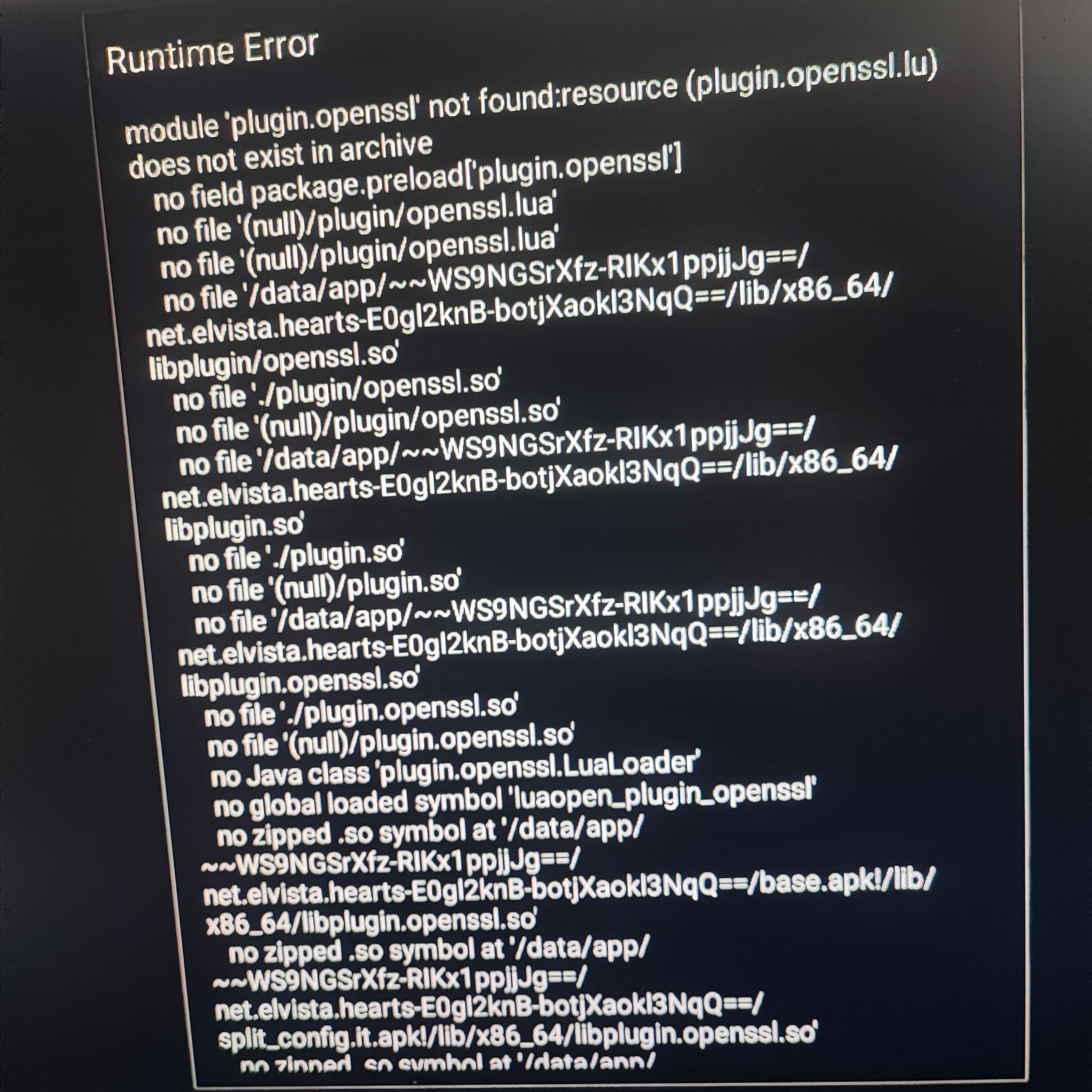
He’s running game on desktop PC via Google Play Games on PC. He said the game started to crash on startup. Due to timing I think open ssl update can be issue for him. He tried to reinstall game and it always crash on startup.
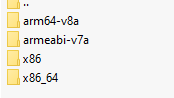
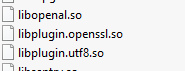
First of all, make sure that the number of *.so file in each folder is the same in your package lib directory, refer to the Android documentation, assuming you have a x86_64 folder but the content is incomplete, Android will still use the so file collection in that folder.
Just to mention, we’re building project with regular Solar2D, not Solar2D Native. It worked fine with Open SSL plugin, nobody ever have any complaints (on mobile devices).
I don’t have deep knowing of Solar2D Native and Android Natve itself, so I just point on this problem, which arrived recently and in same time when plugin was updated. So I left my 2 cents here
Hope Scott will find time to look for this issue or maybe give us advice what to check.