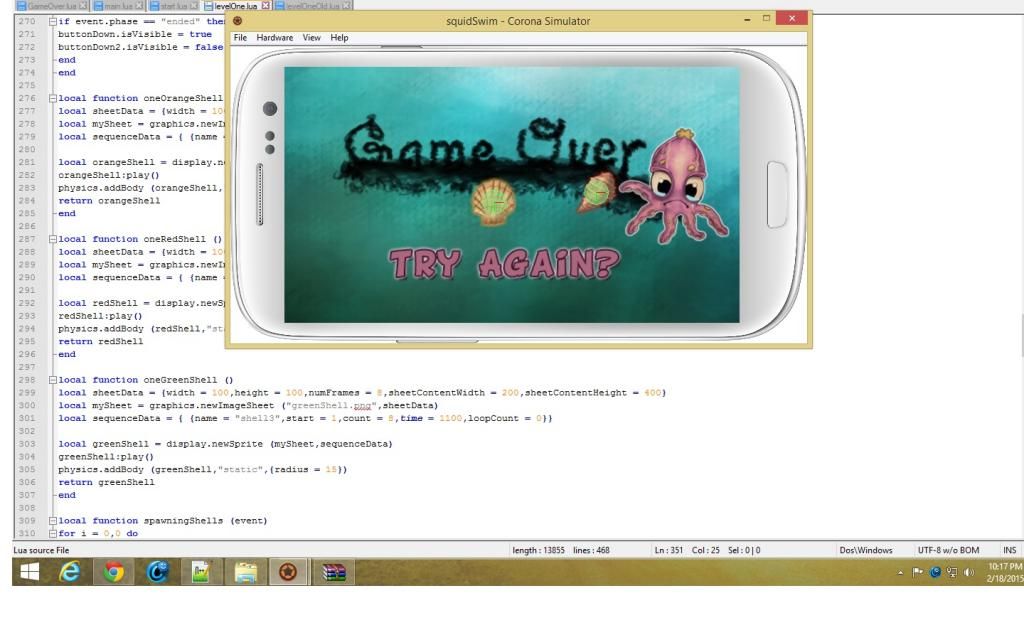
I am getting this error,when I try to build my app

Hi,

  I am getting this error when I try to build my app.I tried both passwords :“android” and “androiddebugkey”,but none of them work.

I haven’t installed my JDK 6 in the C drive (the drive where my windows is located),could that be the problem?

Thanks!

Hi @bogdanmocanu2,

Yes, most likely this is the reason… you need to install JDK where the system can locate it. However, I seem to recall (barely) that there is some way to point it to another path, but you’d need to dig around on the Internet to see how this may be possible, because I don’t have any reference to it.

Brent

@Brent,

  I had uninstalled JDK6u45 from my computer,and I install it again on my C drive(where my widows is).Now I am getting the following errors when I try to build for Android.Plus the “key alias” dropdown list is empty.Take a look at them and tell me what wrong.Thanks!

Hi @bogdanmocanu2,

By your screenshots, it looks like it’s still trying to locate things on your E: and F: drive. Can you completely uninstall everything (including Corona SDK), clear out all of the related Application Settings, and then re-install Corona? That might “reset” things for you.

Brent

Also, please keep everything on the same drive: Corona, JDK, etc. I’m not a Windows user myself, but I think you should have all of these things in the same partition. There may be an advanced way to set paths between all of the related items, but that’s beyond my scope to assist you.

Brent

Hi Brent,

   I have tried uninstalling Corona and JDK,and reinstall them again with no succes.I still get the same errors.I have deleted all the registry settings (using ccleaner and auslogic registry),but nothing,still those errors.

What’s next?

Everything is now on the same drive partition? Corona, JDK, and your keystores?

Brent

Yes everything is on the same drive.I tried to change the path where Corona might look for the jdk,but it didn’t work.It still looks on that same old path.

One solution is to completeley reset Corona (start again from blank),but how I do that?I tried deauthorized it,I deleted the registry.

Hi @bogdanmocanu2,

I have de-authorized your machines on our side. Can you please un-install and “reset” as before, clear out the registry, and see if it works?

Thanks,

Brent

I’m seeing the same issue.

It seems to build fine if I use the debug keystore, but complains if I use my keystore to build for Android ( Google Play)


UPDATE:

The problem for me was that I was using the wrong password for the key.

Using the correct password (obviously) makes it work  :slight_smile:

False Alarm…

Wish the error report was better though, and not have two errors lumped into one.

@Brent,

I am using this version of Java,is it okay?Or do I need an earlier version of it?

http://www.oracle.com/technetwork/java/javase/downloads/java-archive-downloads-javase6-419409.html#jdk-6u45-oth-JPR

From that box, are you then downloading the “Windows x86” version? That should be the correct one…

Brent

@Brent

I manage to build it for Android.I installed the app on my phone,but I get an error,and I can’t figure it out at what line it is (maybe at line 80?).I don’t fully uderstand the error.Does the variable blowFish got a nil value somewhere or what?(What I think the error is about),but I checked it,and it never got a nil value.

If the error is at line 80,then here’s the code.

local sheetData = {width = 200,height = 200,numFrames = 10,sheetContentWidth = 400,sheetContentHeight = 1000} local mySheet = graphics.newImageSheet ("blowFish.png",sheetData) local sequenceData = { {name = "swim5",start = 1,count = 10,time = 1100,loopCount = 0}} local blowFish = display.newSprite (mySheet,sequenceData) -- This is line 80 blowFish:play() physics.addBody (blowFish,"static",{radius = 30}) blowFish.isVisible = false sceneGroup:insert (blowFish) 

Thanks for the support!

Bogdan
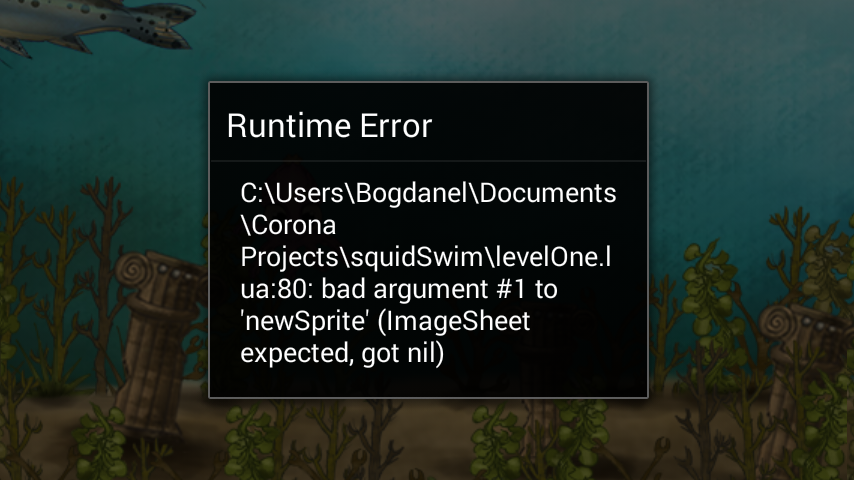
Screenshot_2015-02-15-21-15-401.png

local mySheet = graphics.newImageSheet (“blowFish.png”,sheetData)

I suspect your file name is not really “blowFish.png”, but maybe “blowfish.png”.  Filenames on device are case sensitive.  There should be more information in your device’s console log.  If you don’t now how to read the device’s console log, please refer to this guide:

http://docs.coronalabs.com/guide/basics/debugging/index.html

Rob

Hi Rob,

  I manage to fix the error.And the game works on my device.Thank you for your help!

   But I think that my physiscs engine is corrupt or something like this,because sometimes my main character hits objects that are not in it’s area,even not near it. e.g.:  it collects invisible coins,it colides with invisible enemies,etc and this affects my gameplay.There’s nothing hidden in my game,alltough this things happen.

  I have enabled “physics.setDrawMode(“hybrid”)” to see what’s wrong but,everything looks okay.Nothing comes near my player,and the collision function is triggered.

What could be the problem?

Bogdan

Hi Bogdan,

You probably moved/shifted or scaled some display groups which contain physics objects, but you didn’t do it for all of the groups that contain physics objects. This is not allowed in the physics engine… all display groups that contain physics objects must be in the same 0,0 relation to each other, otherwise you will see incorrect collisions.

Take care,

Brent

@Brent,

 I think that I figured it out  why I  get this weird collision errors.My game has “left-overs” from the previous level that was removed in the function bellow.

For example my shells still cross the screen,alltough they were removed along with the whole level in the function “gameOver”

I also noticed that “audio.dispose(music)” doesn’t work either.

local function gameOver (event) if event.phase == "began" then local options = { effect = "fromBottom", time = 700, } Runtime:removeEventListener ("collision",scoreKeeper3) orangeShell1 = nil Runtime:removeEventListener ("collision",scoreKeeper1) greenShell3 = nil Runtime:removeEventListener ("collision",scoreKeeper2) redShell2 = nil orangeShell = nil redShell = nil greenShell = nil composer.gotoScene ("GameOver",options) composer.removeScene ("levelOne") end end 

Some shells still crossing the screen.There are only 3 to 5 shells,depending on how many shells my code manage to spawn before the level was removed.I have tried to remove them in the function above,but probably I’m doing something wrong :smiley:

Thanks,

Bogdan

e1-1.jpg

Hi Bogdan,

In your code, you’re not actually removing the items. You’re only setting their references to “nil”. However, they should be removed IF you added them to the scene’s view. Did you do so?

Thanks,

Brent

@Brent,

  I fixed the error.

Thanks for all the support guys.I have a working build,and it will be on the appstore pretty soon.

Cheers,

Bogdan

Hi @bogdanmocanu2,

Yes, most likely this is the reason… you need to install JDK where the system can locate it. However, I seem to recall (barely) that there is some way to point it to another path, but you’d need to dig around on the Internet to see how this may be possible, because I don’t have any reference to it.

Brent