
move a LINE about

is there anyway to alter a line
Basically i want to show a physics joint, not debug mode
but in the game i need to show the joints as some are joined some are not etc.

so i thought about drawing a line, then moving it in the update loop
but not sure if this is possible.

myJoint = physics.newJoint( “distance”, crates[3], crates[4], crates[3].x, crates[3].y,crates[4].x, crates[4].y)

local jointline = display.newLine( crates[3].x, crates[3].y,crates[4].x, crates[4].y )
jointline:setColor( 255, 102, 102, 255 )
jointline.width = 3

i could create a visible joint with another object - which would kinda be ok for a fixed joint like distance
but i want to have an elastic joint (wheel seems to give a good elastic effect)

or i could create a ‘dotted’ line a bit like a bridge but it seems like too much, as the standard joint works fine - i just need to be able to show it to players.

[import]uid: 1500 topic_id: 34751 reply_id: 334751[/import]
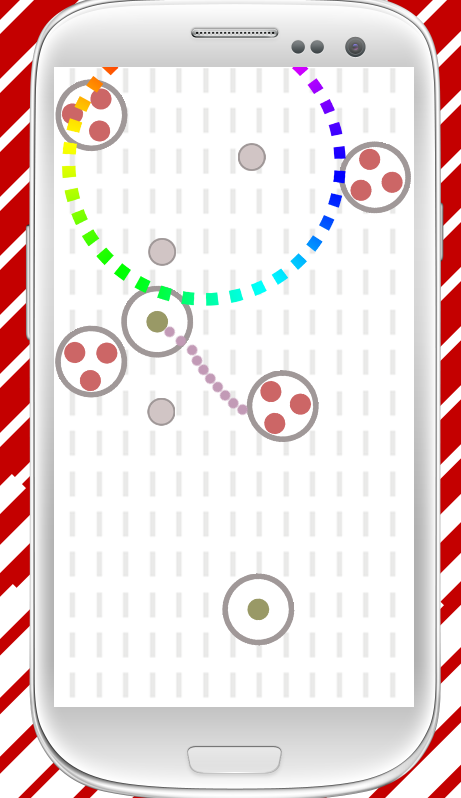
No, you can’t. Display objects are rendered to an image and cannot be modified after that except with visual effects, like alpha changes. They do not exist in use as vector objects. You need to re-render the line again. The advised way to do this is either when a touch (which might be used to control the line) receives a “moved” phase or in an enterFrame listener, though this might get processor-intense. [import]uid: 8271 topic_id: 34751 reply_id: 138075[/import]

ok i ended up using the ‘cut the rope’ corona example to create a connector between two objects
its a different behaviour but still nice,
my other option is to use a ‘bar’ that links to the two centres, as long as its behind it will just look like a connector.

but im liking the rope effect, that said its a lot of extra bodys, luckily the game normally only had <20 on screen at anytime.


not its not quite right yet it hits the middle of one and the edge of the other. [import]uid: 1500 topic_id: 34751 reply_id: 138455[/import]

I think you’d be better off just rendering the line yourself - using physics objects to represent purely visual aides can be a nightmare to manage and a larger overhead than you think, once you get to all the other stuff in a game.

Here’s how I would/might do it…

[lua]-- objects to join with a line
local objA, objB = …

– the line joining the objects
local line = display.newGroup()
line.width = 10
line.endA = objA
line.endB = objB
line.color = {0,0,255}

– update line
function line:enterFrame()
line[1]:removeSelf()
local l = display.newLine( line, line.endA.x, line.endA.y, line.endB.x, line.endB.y )
l.width = line.width
local c = line.color
l:setStrokeColor( c[1], c[2], c[4] )
end
line:addEventListener(“enterFrame”)[/lua]

Just make sure that you removed the appropriate objects when doing cleanup, otherwise this will throw an error. [import]uid: 8271 topic_id: 34751 reply_id: 138468[/import]

while this works to a degree, i had to edit it a bit to get it running
and its working just fine now, the only issue being z-ordering which I’ll hopefully sort out by using some display groups to act as layers.

Thanks again

though im quite fond of the rope solution too - i may implement both
only using ropes on levels with few items on.

as they seem to work fine (my game is logically complete now, i just have to add in the levels and some additional animations
[import]uid: 1500 topic_id: 34751 reply_id: 138480[/import]

No, you can’t. Display objects are rendered to an image and cannot be modified after that except with visual effects, like alpha changes. They do not exist in use as vector objects. You need to re-render the line again. The advised way to do this is either when a touch (which might be used to control the line) receives a “moved” phase or in an enterFrame listener, though this might get processor-intense. [import]uid: 8271 topic_id: 34751 reply_id: 138075[/import]

ok i ended up using the ‘cut the rope’ corona example to create a connector between two objects
its a different behaviour but still nice,
my other option is to use a ‘bar’ that links to the two centres, as long as its behind it will just look like a connector.

but im liking the rope effect, that said its a lot of extra bodys, luckily the game normally only had <20 on screen at anytime.


not its not quite right yet it hits the middle of one and the edge of the other. [import]uid: 1500 topic_id: 34751 reply_id: 138455[/import]

I think you’d be better off just rendering the line yourself - using physics objects to represent purely visual aides can be a nightmare to manage and a larger overhead than you think, once you get to all the other stuff in a game.

Here’s how I would/might do it…

[lua]-- objects to join with a line
local objA, objB = …

– the line joining the objects
local line = display.newGroup()
line.width = 10
line.endA = objA
line.endB = objB
line.color = {0,0,255}

– update line
function line:enterFrame()
line[1]:removeSelf()
local l = display.newLine( line, line.endA.x, line.endA.y, line.endB.x, line.endB.y )
l.width = line.width
local c = line.color
l:setStrokeColor( c[1], c[2], c[4] )
end
line:addEventListener(“enterFrame”)[/lua]

Just make sure that you removed the appropriate objects when doing cleanup, otherwise this will throw an error. [import]uid: 8271 topic_id: 34751 reply_id: 138468[/import]

while this works to a degree, i had to edit it a bit to get it running
and its working just fine now, the only issue being z-ordering which I’ll hopefully sort out by using some display groups to act as layers.

Thanks again

though im quite fond of the rope solution too - i may implement both
only using ropes on levels with few items on.

as they seem to work fine (my game is logically complete now, i just have to add in the levels and some additional animations
[import]uid: 1500 topic_id: 34751 reply_id: 138480[/import]