hello bro
i am trying to insert rects table that contain 10 objects (all those objects have touch listener) to scrollview, but i get error insert to scrollview
this is some part of my code:
local widget=require “widget”
local scorllView =widget.newScrollView()
local rect1s = {}
for i = 1, 10 do
rect1 =display.newRect(display.contentCenterX,0,250,200)
rect1s[i] = rect1
end
for i=1 ,10 do
scrollView:insert (rect1s[i])
end
function touchListener( event )
–here some simple code
end
for i=1 , 10 do
rect1s[i]:addEventListener(“touch”,touchListener)
end
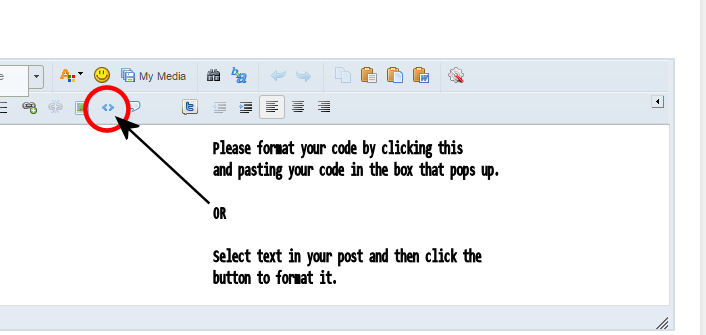
I had posted direclty . I will use formatting for posting in future. thanks for your notice.
I see you add some code to my code, could you please explain what is my issue?!
thanks for your help mr @roaminggamer
Original Issues
If you pasted that code directly into the forums from your code via copy-paste, then the error(s) were likely related to these issues
- spelling/typos:
- local scorllView =widget.newScrollView()
-
scrollView :insert << This should have produced a very clear error message in the console.
- use of globals when locals are much appropriate:
- rect1 =disp … should be local rect1 =disp …
-
function touchListener( event ) should be local function touchListener( event )
What did I add/change?
I changed the way your touch listener is written. I made into a local listener which is much better, cleaner, and safer.
local function touchListener( self, event ) --here some simple code end for i = 1, #rects do local tmp = rects[i] tmp.touch = touchListener tmp:addEventListener( "touch" ) end
this error message what i got
Right.
You spelled it scorllView when you defined it.
You spelled it scrollView when you used it.
this is really my problem :lol:
thank you too much bro @roaminggamer
Hey, I don’t mind helping, but be sure to do enough debugging in the future.
This was clearly laid out by the error message. I realize, sometimes we get code blind when looking at our own code so I get it. You may have simply missed the typo. We all do this sometimes.
Tip: In cases like this, do the following:
-
Select the word/variable that is being complained about on the line where the error message says the problem is.
-
Go to the top of the file.
-
Use the editor search feature to look for all instances of that word and see if they match what you expect.
I am on learning mode ,ok
I had posted direclty . I will use formatting for posting in future. thanks for your notice.
I see you add some code to my code, could you please explain what is my issue?!
thanks for your help mr @roaminggamer
Original Issues
If you pasted that code directly into the forums from your code via copy-paste, then the error(s) were likely related to these issues
- spelling/typos:
- local scorllView =widget.newScrollView()
-
scrollView :insert << This should have produced a very clear error message in the console.
- use of globals when locals are much appropriate:
- rect1 =disp … should be local rect1 =disp …
-
function touchListener( event ) should be local function touchListener( event )
What did I add/change?
I changed the way your touch listener is written. I made into a local listener which is much better, cleaner, and safer.
local function touchListener( self, event ) --here some simple code end for i = 1, #rects do local tmp = rects[i] tmp.touch = touchListener tmp:addEventListener( "touch" ) end
this error message what i got
Right.
You spelled it scorllView when you defined it.
You spelled it scrollView when you used it.
this is really my problem :lol:
thank you too much bro @roaminggamer
Hey, I don’t mind helping, but be sure to do enough debugging in the future.
This was clearly laid out by the error message. I realize, sometimes we get code blind when looking at our own code so I get it. You may have simply missed the typo. We all do this sometimes.
Tip: In cases like this, do the following:
-
Select the word/variable that is being complained about on the line where the error message says the problem is.
-
Go to the top of the file.
-
Use the editor search feature to look for all instances of that word and see if they match what you expect.
I am on learning mode ,ok