Some backstory…. a few weeks ago I posted a demo showcasing tiling via shaders with a web build (check it out here). Two things stood out right away: I couldn’t believe how smooth it was running on the web versus the Simulator/Windows build, and the web build could run at 120fps matching one of my monitor’s refresh rate.
That got me curious, and I ended up in a rabbit hole trying to figure out why web builds running in browsers feel smoother than Windows build (even at 60Hz.), thus I ended up with two test branches of Solar2D.
The first is a fix for frame pacing on the Windows Simulator (which also applies to Windows builds) — I think it gets the job done, though I have a monitor with a refresh rate below 60Hz where things aren’t always perfectly smooth.
The second branch — and the focus of this post — is a feature branch that decouples rendering from logic to some extent.
I just released latest version from the second branch and looking for devs to give it a try. You can use just the Simulator, or also make Windows build with the template, both files are provided for download available here:
I also included a simple demo project covering audio, emitters, keyboard input, physics, sprite animation, timers, and transitions. The source should be available later on.
What’s new
- Arbitrary FPS via
config.lua— any positive integer is accepted as an fps target, not just 30/60/120. The engine auto-caps to your monitor’s refresh rate if the configured value exceeds it, and logs a warning when that happens. - Render sync — rendering can now happen at the full monitor refresh rate between logic ticks. This is not the same as vsync (which Solar2D already does) — your logic still runs at whatever rate you set via
fpsinconfig.lua, but render calls can fill in the gaps at the monitor’s native cadence. - Automatic monitor change detection — when you move the Solar2D window to a monitor with a different refresh rate, the engine detects it automatically and updates accordingly.
New API
display.actualFps— read-only. Returns the effective fps the engine is running at, which may differ fromdisplay.fpsif the monitor refresh rate is lower than what was requested inconfig.lua.display.refreshRate— returns the refresh rate of the monitor Solar2D is currently running on.display.setDefault("renderSync", true/false)— enables or disables render calls at the monitor’s full refresh rate. Enabled by default.display.getDefault("renderSync")— returns the currentrenderSyncstate.Runtime:addEventListener("monitorChanged", fn)— fires when the window moves to a monitor with a different refresh rate. The event providesevent.refreshRateandevent.actualFps.
Important: if testing with this build, always use delta time where applicable.
To maintain consistent game speed across different fps configurations, always use delta time for movement and animation.
local lastTime = system.getTimer()

Runtime:addEventListener("enterFrame", function(event)
    local now = system.getTimer()
    local dt  = (now - lastTime) / 1000
    lastTime  = now
    obj.x = obj.x + (obj.speed * dt)
end)
Transitions and Timers work as expected — nothing special needed there.
If you’re using the physics engine, set the timestep to match the effective tick rate at startup:
local physics = require("physics")
physics.start()
physics.setGravity(0, 9.8)
physics.setTimeStep(1 / (display.actualFps or display.fps))
And update it when moving between monitors:
Runtime:addEventListener("monitorChanged", function(event)
    physics.setTimeStep(1 / event.actualFps)
end)
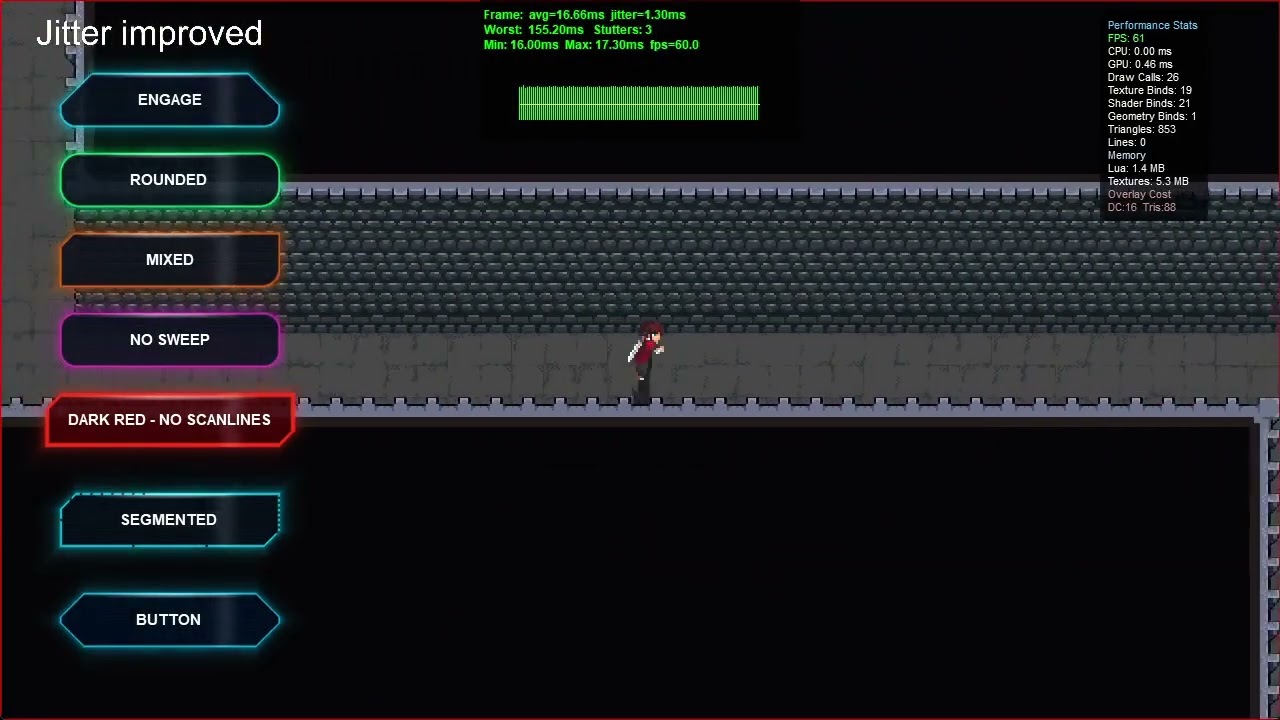
Here’s footage I had shared on Discord showcasing the difference between current production build and experimental build.
Here’s also a simple graph I created using enterFrame and timers showcasing frame pacing between experimental build (first bar) and current production build (second bar). Gaps mean pacing is off.
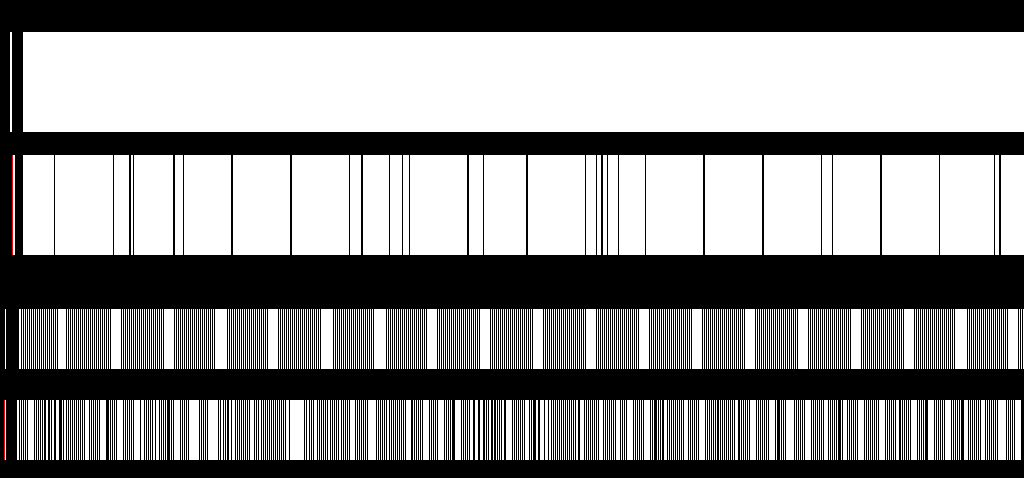
The first pair matches content size to window size, scaling is even, every pixel should be filled. The second pair is downscaled, and shows the difference on frame pacing pattern/consistency.
If you have no need for this, you can try out the demo and let me know how it works (or not work) on your machine. 
