i founded plugin on solar2dmarketplace.com. and i want to install it. how i can install?
Here is the Guide.
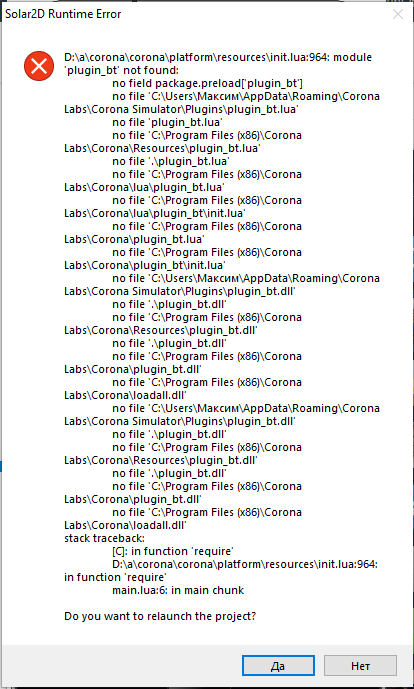
Not working. i trying to install bluetooth plugin. i copied table, pasted my account code, but it still not working. When i trying to use “require” solar2d returns error
If just for testing, just copy the plugin_abc.dll file to
%APPDATA%\Corona Labs\Corona Simulator\Plugins\
Hi, I posted this the other day in another thread.
I’m not sure if this applies to your case, but when I started using Solar2D, I also had issues with plugins not working. Later, I found out that some plugins don’t work in the simulator.
What I usually do is this:
- Add the
requireline for the plugin, but leave it commented out while testing in the simulator. - When it’s time to build for Android, I uncomment the line.
- During testing, Solar2D might show error messages asking to reload the project — I click “Yes” the first time, and if it appears again, I click “No”, then proceed with the build.
This method has worked for me, and the plugin runs fine on the device.
Hope it helps!
1 Like
Probably this. After that I looked up to the Bluetooth plugin and here’s what I found in the documentation:
Platforms:

this plugin only works on android and iOS (not simulator)
Then do the above procedure, hope it works!
Cyrillic symbols in the path are causing an error. You can only rename the username. Moving to another path won’t help you.