Is it possible to add two images together?

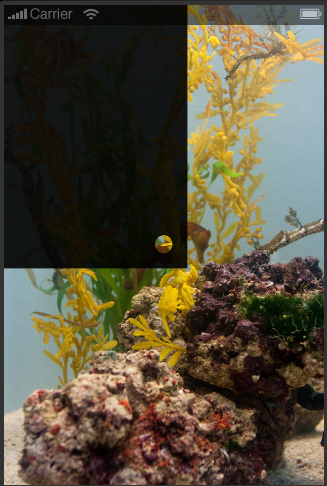
Notice that the X-Ray and FlashLight samples don’t make a hole through the top image to the bottom, they actually put the image which you’re “seeing through the hole” on top of the main image and apply the mask to it.

If you want to make a “hole” through the top image (to see the image underneath) you still need to apply the mask to the top image, but instead of a black png with a white circle you want a white png with a black circle.

http://docs.coronalabs.com/api/library/graphics/newMask.html

Remember that in mask images, the white is the visible part and the black is invisible. [import]uid: 8271 topic_id: 33455 reply_id: 133068[/import]
but what if i want to move the transparent circle to where the user touches? [import]uid: 67619 topic_id: 33455 reply_id: 133280[/import]

The x-ray sample… its a bit of trick… as in… the way it works… because if you set the alpha to the top image (paper_bkg) you will notice the bottom layer (grid.png) has been covered with a black layer other than where the mask is… so when ever you apply a mask to an image… it makes the image all black other than where the mask is…

I tried your suggestion but it does not work…

maybe I am not explaining exactly what I need… have a look at the image below…

http://www5.picturepush.com/photo/a/11529068/1024/Anonymous/bkgd1234.png

ok so basically what I need is exactly like the x-ray sample… but I need the top image to be alpha =0.8 so that I can see through to the bottom image…

hope that makes sense

[import]uid: 67619 topic_id: 33455 reply_id: 133119[/import]

Ok, this does what your image shows, but not the way you’re thinking.

This code uses two copies of the image you want to show. The bottom one is dark, the top one is normal brightness, but is only visible where the mask is.

[lua]-- back image is slightly visible
local back = display.newImage( “bkgd.png” )
back.alpha = .2

– front image is only visible where the mask is, but is bright
local image = display.newImage( “bkgd.png” )

– apply mask to front image
local mask = graphics.newMask( “circlemask.png” )
image:setMask( mask )

– move mask around on top image
function touch(e)
image.maskX, image.maskY = e.x-image.width/2, e.y-image.height/2
return true
end
Runtime:addEventListener(“touch”,touch)[/lua]

I think the problem you’re hitting is that the mask does not affect images it is not applied to.

I also hit a problem when I inverted the circlemask.png and it did not work as I expect, in my previous post. [import]uid: 8271 topic_id: 33455 reply_id: 133120[/import]

That is very very cool… thank you for that…

Now are you ready for the next question… this was more of a build up to the next question…

I want an animation of a man walking left and right… again the same sort of thing…
instead of a background… its just an animated sprite…

does that mean… I will need to implement 2 sprites? of the same thing? one with an alpha (darker) and the other normal?

This is why I was just thinking originally to draw the screen with all required animations etc… then apply a alpha layer on top of it… then a[ply the mask… do you know what I mean?

Thanks again for your help

Vik

[import]uid: 67619 topic_id: 33455 reply_id: 133156[/import]

Move the image with the hole. [import]uid: 8271 topic_id: 33455 reply_id: 133335[/import]

that would mean the image with the hole will have to be double the size of the screen yeah?

Thanks for your help [import]uid: 67619 topic_id: 33455 reply_id: 133337[/import]

You want an animation of a man walking left and an animation of a man walking right?

I don’t think that would be a problem, just flip your sprite sheet. [import]uid: 8271 topic_id: 33455 reply_id: 133167[/import]

I imagine the image with the hole will not just be a flat dark image but something like the james bond gun barrel, so it would have to fill the screen and more to move around.

Otherwise it would be the same solution as earlier; The top image is normal with an inverted circlemask.png: black circle with white border. Like I said, I had trouble implementing that the other day, but I’ve done it before so I’m pretty sure it works.

If that sort of mask doesn’t work you should log a bug with Corona. [import]uid: 8271 topic_id: 33455 reply_id: 133340[/import]

no no sorry… I must not have explained it properly…

I know how to make a man animate from left to right that’s no problem…
What I was asking was how would you do the same thing you showed me with the background… but with a man walking left and right?

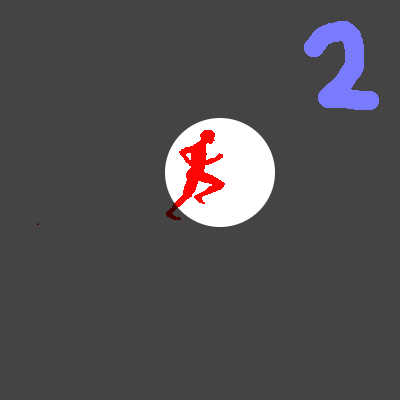
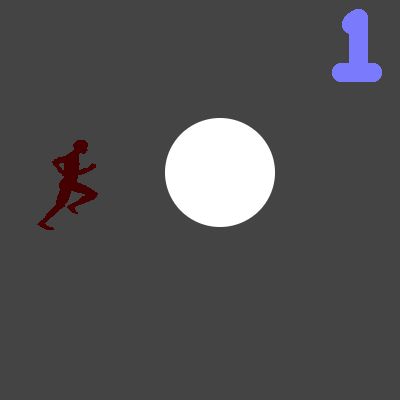
so basically there is a man walking left and right on the screen… there is a dark overlay … but where the mask is applied it shows through… have a look at the following images

image one shows the man running from the left to the right he is still in the dark. Image 2 shows him running through the mask… and it shows him lighter…

http://www5.picturepush.com/photo/a/11531853/img/Anonymous/1.png

http://www2.picturepush.com/photo/a/11531865/img/Anonymous/2.png

[import]uid: 67619 topic_id: 33455 reply_id: 133179[/import]

Ah, that’s easy and does not require masks.

Make a completely png with a transparent circle in the middle. Load the PNG and set it’s alpha to .3 or something, then animate the man behind it. [import]uid: 8271 topic_id: 33455 reply_id: 133204[/import]

but what if i want to move the transparent circle to where the user touches? [import]uid: 67619 topic_id: 33455 reply_id: 133280[/import]

Horacebury,

yeah that worked… I tried the inverting and it works a treat… thanks…

one thing though I tried adding a transition with the maskXscale = 0 and maskYSvcale = 0… it transitions… but it moves the mask image to the top left… i was hoping for the transition to happen at the one place…

any thoughts? [import]uid: 67619 topic_id: 33455 reply_id: 133474[/import]

Try absolutely positioning the mask by it’s maskX and maskY first. [import]uid: 8271 topic_id: 33455 reply_id: 133485[/import]

Move the image with the hole. [import]uid: 8271 topic_id: 33455 reply_id: 133335[/import]

that would mean the image with the hole will have to be double the size of the screen yeah?

Thanks for your help [import]uid: 67619 topic_id: 33455 reply_id: 133337[/import]

I imagine the image with the hole will not just be a flat dark image but something like the james bond gun barrel, so it would have to fill the screen and more to move around.

Otherwise it would be the same solution as earlier; The top image is normal with an inverted circlemask.png: black circle with white border. Like I said, I had trouble implementing that the other day, but I’ve done it before so I’m pretty sure it works.

If that sort of mask doesn’t work you should log a bug with Corona. [import]uid: 8271 topic_id: 33455 reply_id: 133340[/import]

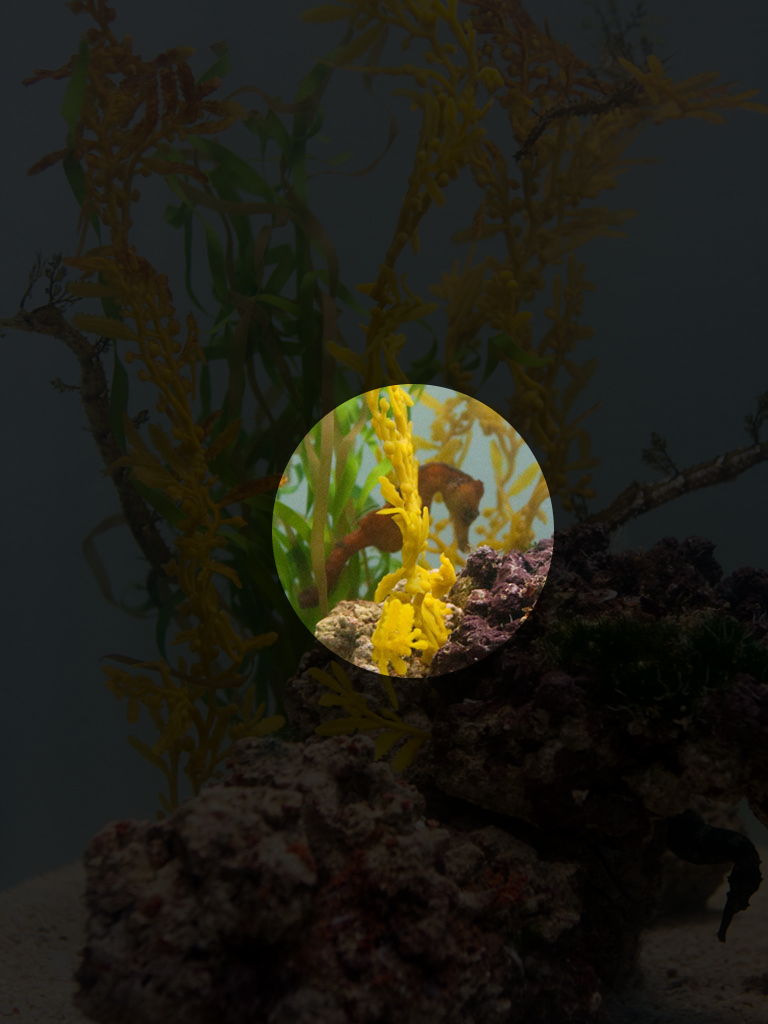
Can I get some clarification on masks? does the mask image need to be the same size as the image it is attached to?

The image i am attaching the mask to is 768 X 1024… the mask it self is only 100 x 100 (black circle
with white background)… when I attach the mask… the mask gets attached to the bottom right of the image… see image


http://www4.picturepush.com/photo/a/11558962/640/11558962.png

I have set the maskx and masky… what am I doing wrong?

I want the black image to be on the whole screen, and the mask to be in the center

my code is as follows

[code]

local image1 = display.newImage( “bkgd.png” )

– dark overlay
local image = display.newRect(0, 0, 768, 1024)
image.x = display.contentWidth /2
image.y = display.contentHeight /2
image:setFillColor(0, 0, 0)
image.alpha = 0.9

– apply mask to front image
local mask = graphics.newMask( “circlemask3.png” )

image:setMask( mask )

image.maskx = image.contentWidth * 0.5
image.masky = image.contentHeight * 0.5
[/code] [import]uid: 67619 topic_id: 33455 reply_id: 133652[/import]

Horacebury,

yeah that worked… I tried the inverting and it works a treat… thanks…

one thing though I tried adding a transition with the maskXscale = 0 and maskYSvcale = 0… it transitions… but it moves the mask image to the top left… i was hoping for the transition to happen at the one place…

any thoughts? [import]uid: 67619 topic_id: 33455 reply_id: 133474[/import]

Try absolutely positioning the mask by it’s maskX and maskY first. [import]uid: 8271 topic_id: 33455 reply_id: 133485[/import]